
Free website builder: wat gratis wel en niet kan
Een free website builder is ideaal voor een eenvoudige start, testproject of online visitekaartje. Je…
When you download a BDLibraries template, it comes in a .zip file. This file contains a .txt file and optionally used assets like images, fonts, and sometimes a JSON settings file.
The .txt file is usually named after the template or simply called install.txt or installation.txt, like in the image below:

Step 1: Copy the Link
First, open the .txt file and copy the link provided inside. For example:

Step 2: Log in to Your Website
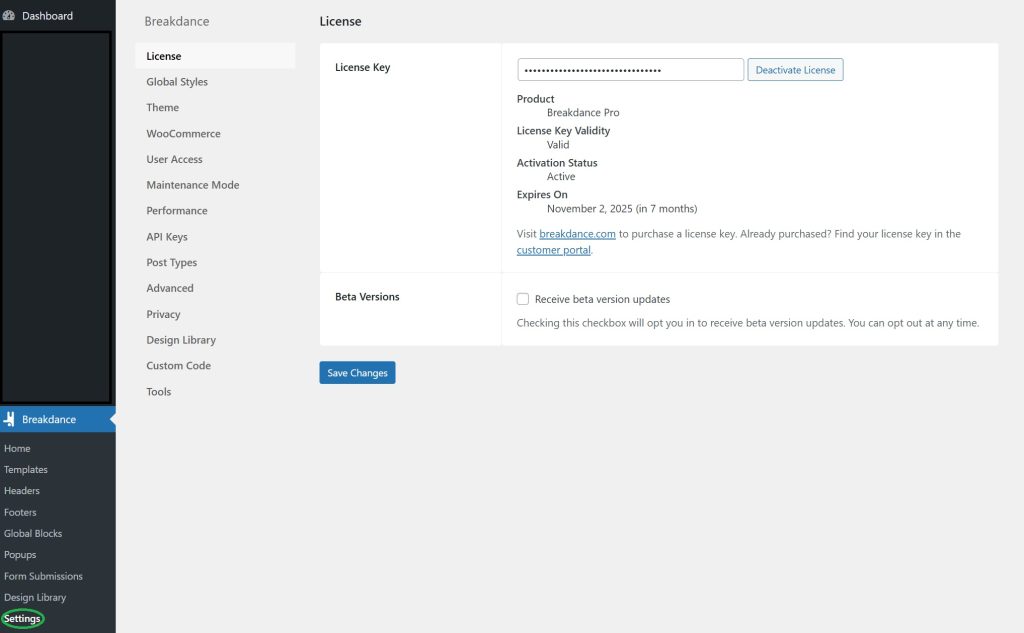
Next, log in to your website’s dashboard and go to the settings page of Breakdance:
Step 3: Add the Template Link
Navigate to the Design Library section, and paste the copied URL into the Custom Design Sets field:
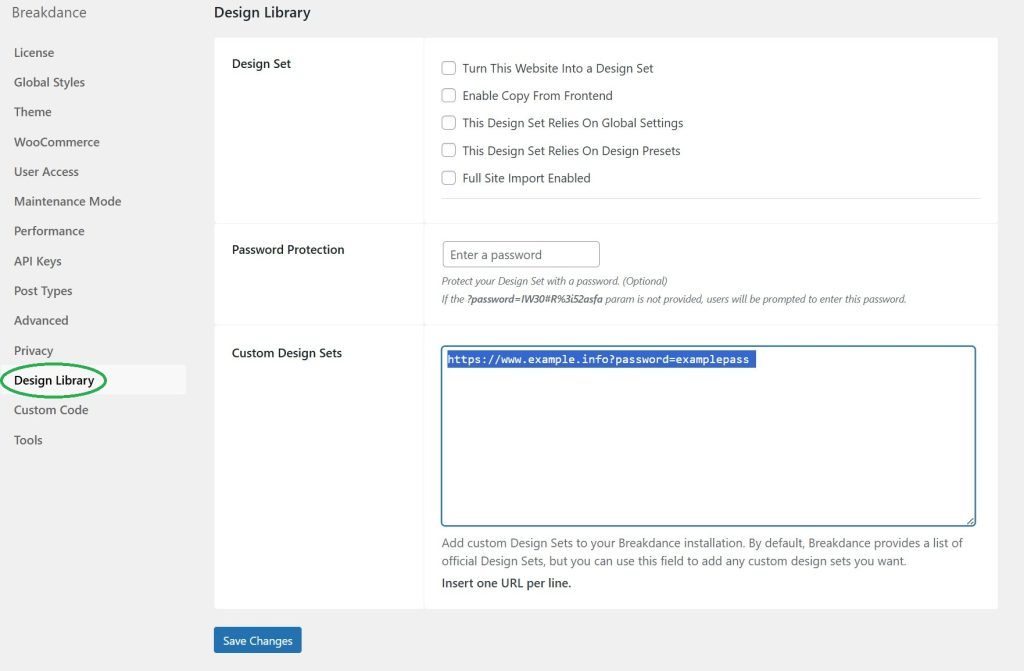
Then, click Save Changes.
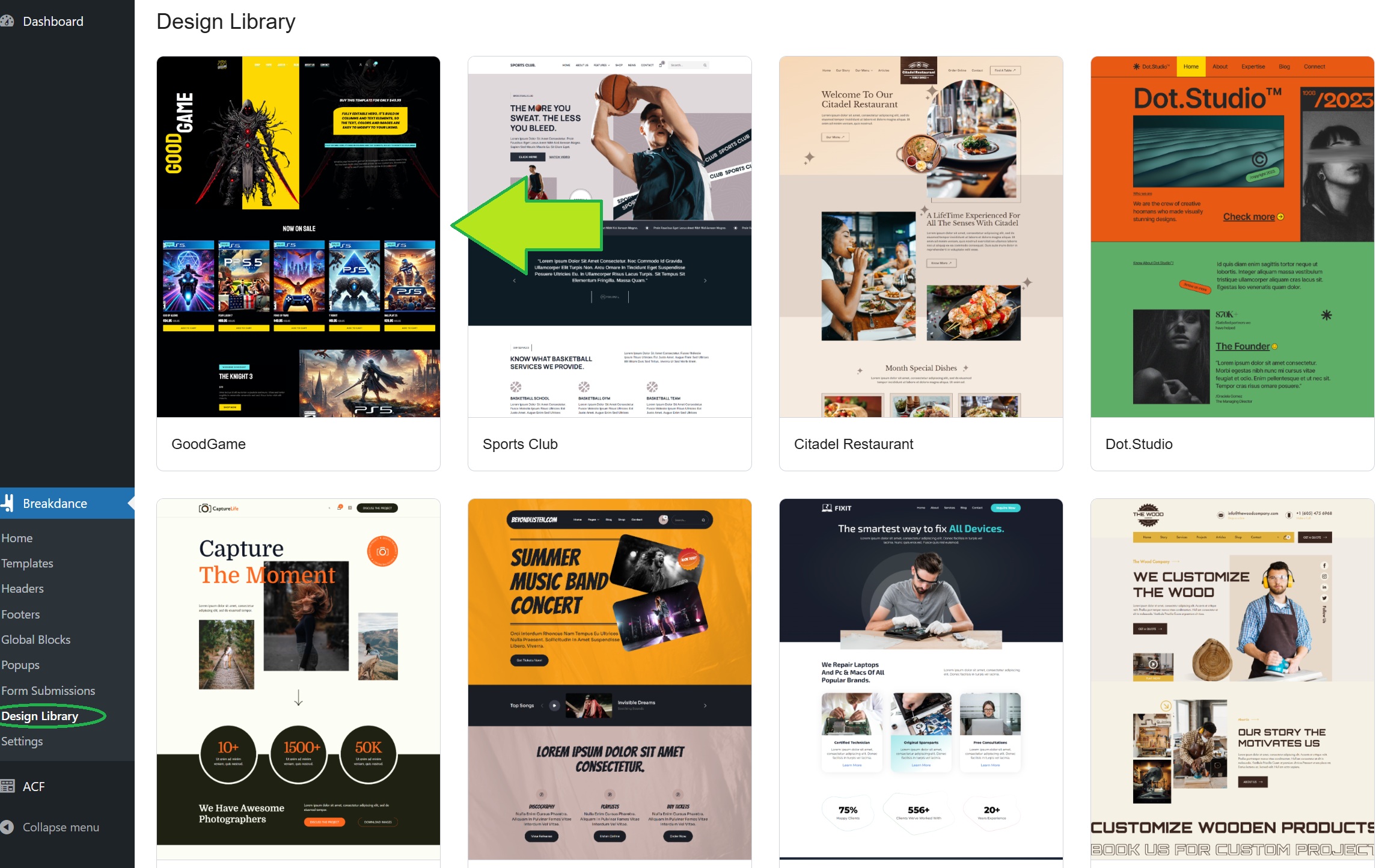
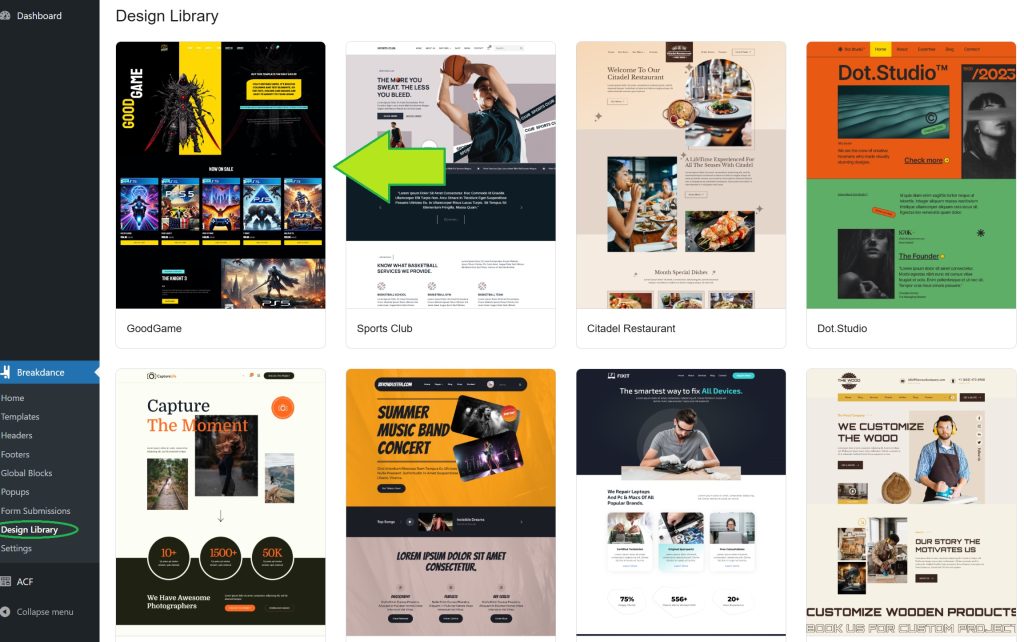
Your template will now appear in your Design Library, like this:
Optional: Import JSON Settings
If a JSON settings file is included in the .zip, you’ll need to install it as well to apply the correct colors and fonts.
To do this, go back to the Breakdance settings and click on Tools, as shown here:

Click Choose File, select the JSON file from the .zip, and then click Upload Export JSON File to import all global settings and fonts.
All Done!
What are you waiting for? Get started with a template from:
👉 https://bdlibraries.com/product-category/templates
Lees ook: Informatie over BDLibraries Privacy Policy
Lees ook: Top page builders gids
Lees ook: breakdance templates installeren
Lees ook: BDLibraries winkelwagen
Lees ook: Checkout proces uitleg
Lees ook: BDLibraries retourbeleid
Lees ook: Contact opnemen
Lees ook: Veelgestelde vragen Breakdance
Lees ook: Breakdance Builder templates
Lees ook: voorwaarden BDLibraries
Lees ook: kleurkiezer voor webdesign