
-
 Breakdance Design Library Premium
×
$ 74,951 ×
Breakdance Design Library Premium
×
$ 74,951 ×First Renewal On: April 1, 2027
$ 39,95
With a fully responsive layout, bookwurm ensures your E-Commerce website looks stunning on any device, offering an optimized user experience whether viewed on mobile, tablet, or desktop. The template features multiple customizable sections.
The template is a full WooCommerce website and has the following pages:
Bookwurm is also SEO-friendly and compatible with all major browsers, making it an excellent choice for businesses focused on WooCommerce – the template that turns visitors into loyal clients.
When you download a BDLibraries template, it comes in a .zip file. Extract this file. The file contains a .txt file and optionally used assets like images, fonts, and sometimes a JSON settings file.
The .txt file is usually named after the template or simply called install.txt or installation.txt, like in the image below:

Step 1: Copy the Link
First, open the .txt file and copy the link provided inside. For example:

Step 2: Log in to Your Website
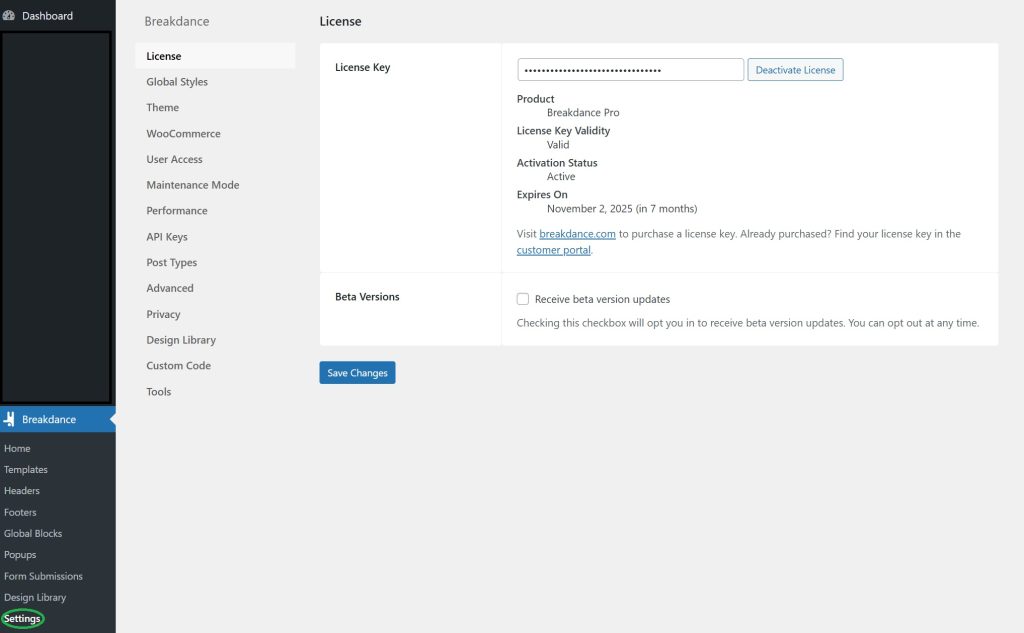
Next, log in to your website’s dashboard and go to the settings page of Breakdance:
Step 3: Add the Template Link
Navigate to the Design Library section, and paste the copied URL into the Custom Design Sets field:
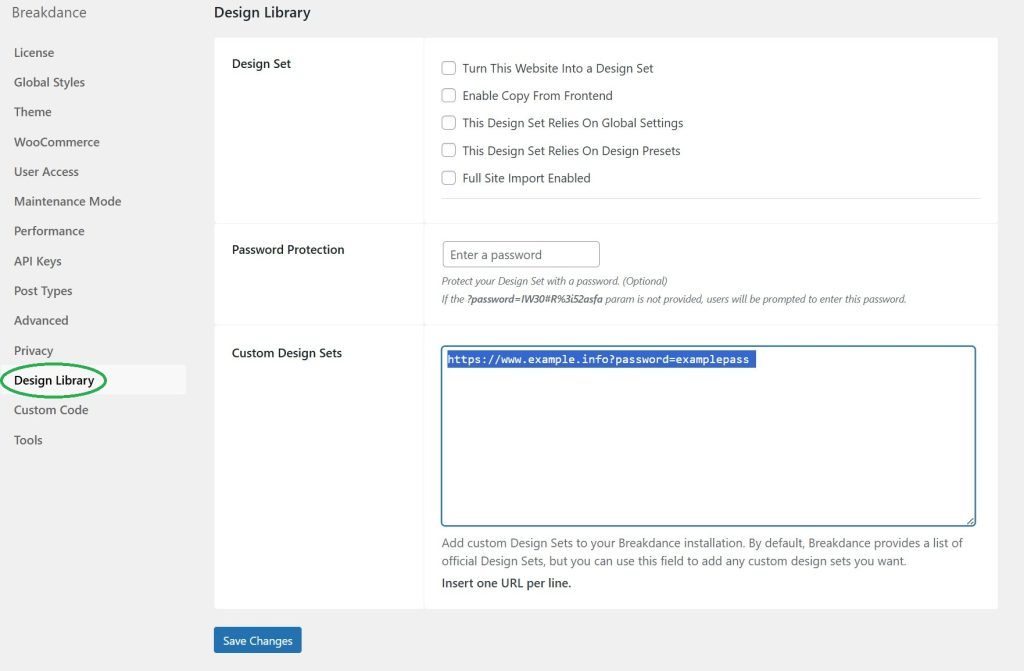
Then, click Save Changes.
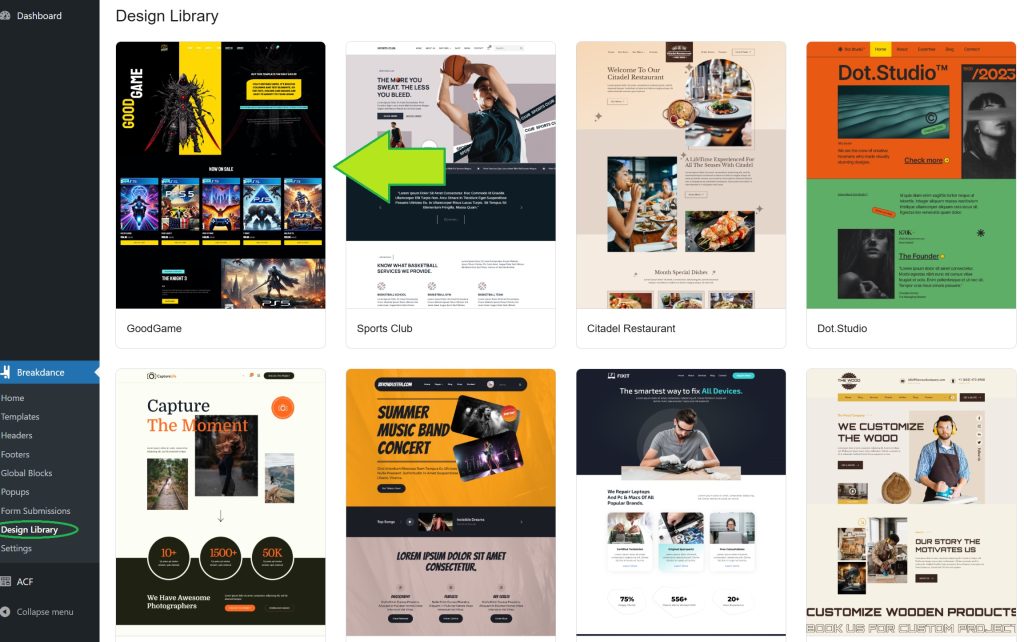
Your template will now appear in your Design Library, like this:
Optional: Import JSON Settings
If a JSON settings file is included in the .zip, you’ll need to install it as well to apply the correct colors and fonts.
To do this, go back to the Breakdance settings and click on Tools, as shown here:

Click Choose File, select the JSON file you extracted from the .zip, and then click Upload Export JSON File to import all global settings and fonts.
All Done!
What are you waiting for? Get started with a template from:
| 5 star | 100% | |
| 4 star | 0% | |
| 3 star | 0% | |
| 2 star | 0% | |
| 1 star | 0% |

Had a rocky start install the template because our hosting issues and they fixed right way. Really good customer service! We will be recommending and coming back for more templates!
Great template, very easy to customize and Nick was great with helping me with some minor issues via Whatsapp.
A great template. Very aesthetic and pleasing to the eye. In addition, it has a very good user experience.
Fast and direct customer service.
Highly recommended.
Good price and easy to setup.
Great template!! Used it for my solar panels webshop. Get a lot of compliments on the design of our website.